






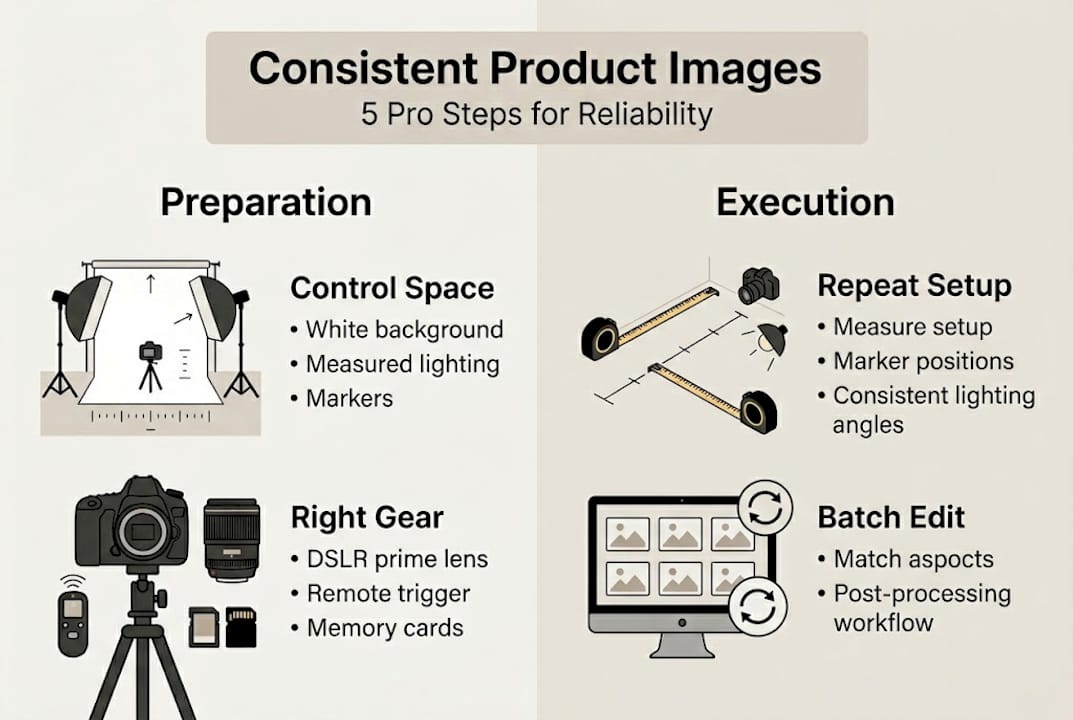
How to get consistent product images: 5 pro steps
TL;DR:
- Consistent product images build trust and improve conversion rates in e-commerce.
- Using a fixed setup, proper lighting, and standardized camera settings ensures repeatability.
- Batch editing with presets maintains uniformity across multiple product photos.
Getting product images right once is hard enough. Getting them right every single time is what separates a professional brand from an amateur one. Studies show that visual consistency directly influences buyer trust, and inconsistent images can lower conversion rates by a significant margin. Whether you shoot jewelry, food, or lifestyle products, every image in your catalog needs to feel like it belongs to the same family. This guide walks you through the exact tools, techniques, workflow steps, and editing practices you need to produce uniform, polished product photos on every shoot, without the guesswork.
Table of Contents
- What you need to get started
- How to set up your product photography workflow
- Techniques to capture consistent images every time
- Editing and batch-processing for final consistency
- Expert insights: What most guides miss about achieving image consistency
- Upgrade your workflow with Instant Backdrops
- Frequently asked questions
Key Takeaways
| Point | Details |
|---|---|
| Essential tools matter | Having the right camera, backdrop, and lighting makes consistency repeatable and easy. |
| Workflow is critical | A standardized setup and shooting process minimize mistakes and variation. |
| Editing secures results | Batch editing and presets tie all images together for a polished, uniform look. |
| Professional backdrops help | Quality backdrops not only improve photo appearance but also streamline editing and branding. |
What you need to get started
Once you understand why consistency matters, start by organizing the right tools and setup. Trying to shoot without the right gear in place is one of the fastest ways to end up with mismatched images across your catalog. Before your first shutter click, make sure you have everything in order.
Here is the core equipment list you need:
- Camera: A DSLR or mirrorless camera with full manual control
- Tripod: Essential for keeping framing identical from shot to shot
- Lighting: Continuous LED panels or studio strobes for predictable, repeatable light
- Backdrops: Flat, uniform surfaces such as vinyl, marble, or wood-textured backgrounds
- Reflectors and diffusers: To manage shadows and fill light without changing your main setup
- Remote shutter release: Reduces camera shake between shots
Your shooting location matters just as much as your gear. A stable, dedicated space with controlled lighting means you can return to the exact same setup day after day. Natural light looks beautiful but changes constantly, making it nearly impossible to replicate. A fixed indoor setup with artificial lighting gives you full control.
For choosing the right backdrop, the material you pick has a real impact on your workflow. Vinyl backdrops in particular are a smart choice for high-volume shooters. They are easy to wipe clean, lie flat without curling, and print in high resolution so they hold up even in close-up shots. In fact, vinyl backdrops reduce post-shoot cleanup by 60%, contributing directly to consistent, efficient results. Less time cleaning means more time shooting.
To understand which surface works best for your specific product type, reviewing background types for visual impact is a great starting point.
| Budget Level | Camera | Lighting | Backdrop |
|---|---|---|---|
| Entry ($300-$800) | APS-C mirrorless | Two LED panels | Single vinyl sheet |
| Mid ($800-$2,000) | Full-frame DSLR | Softbox studio kit | Vinyl bundle (2-3 designs) |
| Pro ($2,000+) | Full-frame mirrorless | Studio strobe system | Curated vinyl collection |
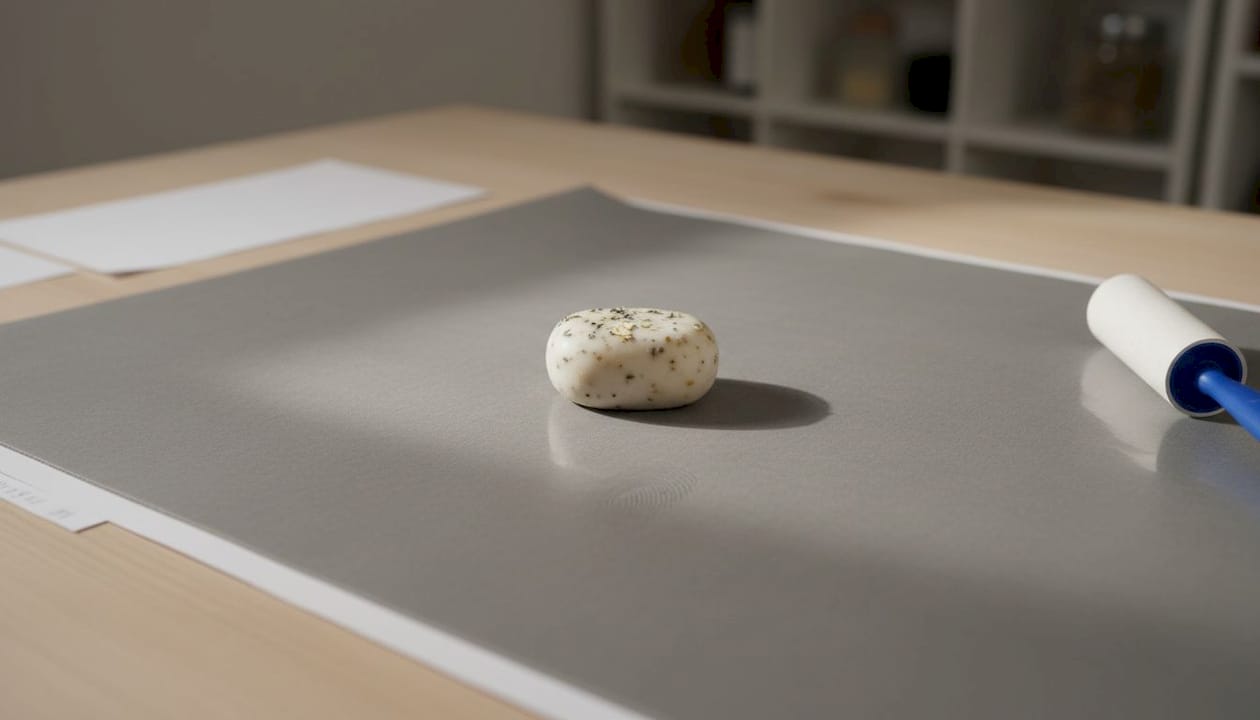
Pro Tip: Invest in at least two backdrop designs from the start. Rotating between a neutral and a textured option keeps your catalog visually interesting while still maintaining brand cohesion.
How to set up your product photography workflow
With your essential tools ready, the next step is arranging your space and equipment for maximum repeatability. A workflow is only useful if you can follow it the same way each time. The goal here is to remove decisions from your shoot day so that your energy goes into quality, not problem-solving.
Follow these steps to build a repeatable setup:
- Mark your shooting position: Use tape on the floor to mark exactly where your tripod legs go. This ensures you return to the same angle and distance every time.
- Set your lighting position: Mark the position of each light stand with tape as well. Note the height and angle in a simple shoot log.
- Lock your camera settings: Set your camera to manual mode. Fix your ISO, aperture, and shutter speed. White balance should also be set manually, not left on auto.
- Position your backdrop: Make sure your backdrop is fully flat and clean before placing any products. Wrinkles or smudges will appear in every shot and cost you editing time later.
- Do a test shot: Before shooting your full product line, take one test image and compare it to a reference shot from your last session.
- Place your product consistently: Use small markers or a grid mat to position your product in the same spot every time.
Boosting appeal with backdrops starts with setup discipline. As a rule, selected backdrops and repeatable studio setups lead to consistent results for e-commerce and social media imagery.
Common setup mistakes to avoid include leaving your white balance on auto, skipping the test shot, or repositioning your lights between products without noting their original settings.
Pro Tip: Keep a simple one-page shoot checklist printed and taped near your setup. Run through it at the start of every session. This small habit catches errors before they become expensive reshoots.
Techniques to capture consistent images every time
After positioning your workspace, focus on camera and shooting techniques that reinforce consistency. Having the right gear and a solid setup is only half the equation. How you actually shoot determines whether your images hold up across a full product line.
Here are the key techniques to apply on every shoot:
- Fix your white balance: Set a custom white balance using a gray card at the start of each session. This removes color casts that vary under different light conditions.
- Use the same focal length: Switching lenses changes perspective and distortion. Pick one focal length, ideally 50mm or 85mm for product work, and stick with it.
- Shoot tethered when possible: Tethering connects your camera to a laptop so you can check images on a large screen in real time and catch inconsistencies immediately.
- Bracket your exposure: Take three shots at slightly different exposures and select the best one. This gives you options without changing your main setup.
- Rotate products, not your camera: When shooting multiple angles, move the product rather than repositioning the camera. This keeps your frame and background uniform.
The choice of backdrop material has a key impact on lighting and perceived quality. A matte vinyl surface, for example, absorbs light rather than reflecting it, which means fewer hot spots and more even tones across your frame.
| Backdrop Type | Consistency | Ease of Use | Light Behavior | Best For |
|---|---|---|---|---|
| Vinyl | High | Very easy | Matte, absorbs light | Product, food, jewelry |
| Paper | Medium | Moderate | Can reflect | Fashion, lifestyle |
| Fabric | Low | Moderate | Wrinkles easily | Casual lifestyle shoots |
| Acrylic | High | Moderate | Reflective | Jewelry, luxury goods |
Realistic backdrops can significantly improve the professional look of your product photos, and that improvement shows up directly in how customers perceive your brand. For photographers shooting realistic backdrops for pro results, the return on investment is visible almost immediately.
Editing and batch-processing for final consistency
Once your images are captured, the final stage is ensuring uniformity during editing and export. Even a perfectly executed shoot can fall apart in post-production if your editing approach is inconsistent. Batch editing is the tool that brings everything together.
Follow these editing best practices:
- Create a master preset: After editing your first image to your satisfaction, save those settings as a preset in Lightroom, Capture One, or your preferred editor.
- Apply the preset to all images in the batch: This ensures every image starts from the same baseline.
- Review each image individually: Presets handle 80% of the work. Check each image for exposure variations caused by slight product reflectivity differences.
- Standardize your export settings: Use the same resolution, color profile (sRGB for web), and file format for every image in a catalog.
- Name files consistently: Use a clear naming convention such as product code, angle, and version number. This keeps batches organized and makes client delivery faster.
For more structured inspiration, reviewing creative backdrop setups can help you develop a visual style that translates cleanly across editing stages.
“Efficient editing and streamlined batch processing are as crucial as shooting for consistency. Without a disciplined post-production process, even the best images can look like they belong to different brands.”
Automation tools like Adobe Lightroom’s batch sync, Capture One sessions, and even AI-based tools can handle repetitive adjustments and flag images that fall outside your set parameters. These tools are not a replacement for judgment, but they make the review process faster and more reliable.
Expert insights: What most guides miss about achieving image consistency
With the basics covered, there are deeper patterns that most step-by-step guides simply do not address. The biggest one is this: technical precision alone does not guarantee consistency. What it guarantees is a repeatable process. Consistency as a brand quality comes from the creative decisions you layer on top of that process.
Many photographers nail the camera settings and still end up with a catalog that feels fragmented. Why? Because they change their styling choices between sessions without realizing it. The prop, the crop, the negative space, the color temperature of the backdrop. All of these carry visual weight.
Feedback loops matter enormously here. After every shoot, review your entire gallery before publishing a single image. Compare new shots against your published catalog. Small deviations are much easier to correct before they go live. Pair this habit with a reference sheet of your brand’s visual standards, backdrop choices, crop ratios, and lighting style, and you have something most guides never mention: a living creative brief.
For a broader view of how environment affects this, exploring lifestyle photography backdrop ideas offers useful creative context.
Pro Tip: After every third shoot, pull ten random images from your last three sessions and line them up side by side. If they feel cohesive, your process is working. If something looks off, identify the variable that changed.
Upgrade your workflow with Instant Backdrops
Creating consistent product images gets a lot easier when your backdrop does part of the work for you. Instant Backdrops offers a wide range of professional vinyl backdrops designed to deliver uniform, high-resolution surfaces for every shoot.
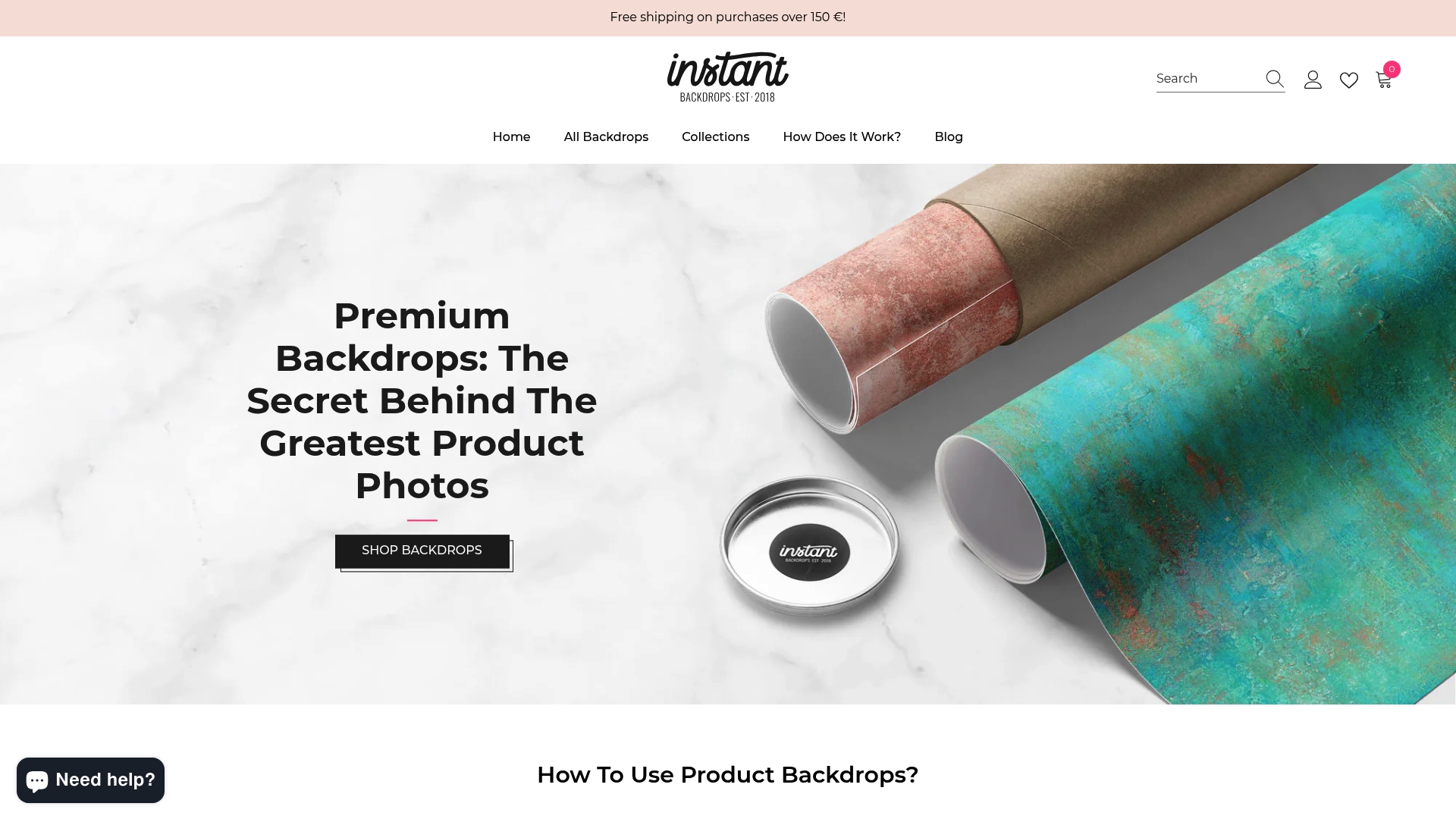
From marble and stone to warm wood and decorative textures, every backdrop is stain-resistant, easy to clean, and built to last through high-volume shooting sessions. Whether you are a solo influencer or a commercial photographer, Instant Backdrops solutions help you maintain the kind of visual consistency that builds trust with your audience and speeds up your entire post-shoot workflow. Browse the full collection and find the backgrounds that fit your brand.
Frequently asked questions
What camera settings should I use for consistent product images?
Set your camera to manual mode with fixed ISO, aperture, and shutter speed for all shots. Consistent camera settings are essential for maintaining uniformity across every image in a session.
Should I use natural or artificial lighting for best consistency?
Artificial lighting is the better choice because it stays the same regardless of the time of day or weather. Stable and repeatable lighting is key for consistent product photography results.
How do backdrops affect image consistency?
Uniform backdrops reduce visual distractions, ensure color harmony across a catalog, and cut down on editing time. Choosing backdrops tailored for product photos streamlines both editing and branding.
Can batch editing improve consistency in product images?
Absolutely. Applying a saved preset across all images in a session ensures they start from the same baseline. Batch processing and presets guarantee fast, uniform results across your entire catalog.
Recommended
- Product Photography Guide for Stunning Backdrop Shots – Instant Backdrops
- Mastering Food Photography with Your Smartphone: 8 Expert Tips – Instant Backdrops
- Food Photography Background Tips for Stunning Visuals – Instant Backdrops
- How to Shoot on Vinyl Backdrops for Product Photos – Instant Backdrops